As teams across the Ads organization built automation tools, dashboards, and AI-powered workflows, a new problem emerged: discovery. Tools were being built but not consistently adopted because people did not know they existed, could not find them, or were not sure which tool was the right one for their task.
The tooling landscape was fragmented. Some tools were well-maintained and actively used, others were built for one-off needs and forgotten. There was no central place to see what was available, how much each tool was being used, or where the gaps were.
The team built a centralized Ads Operations Hub that brings together automation tools, dashboards, product updates, and team-built projects in one platform. The hub includes tool discovery (so people can find what exists), usage analytics (so the team knows what is actually being adopted), and a feedback loop so the most impactful tools get maintained and improved.
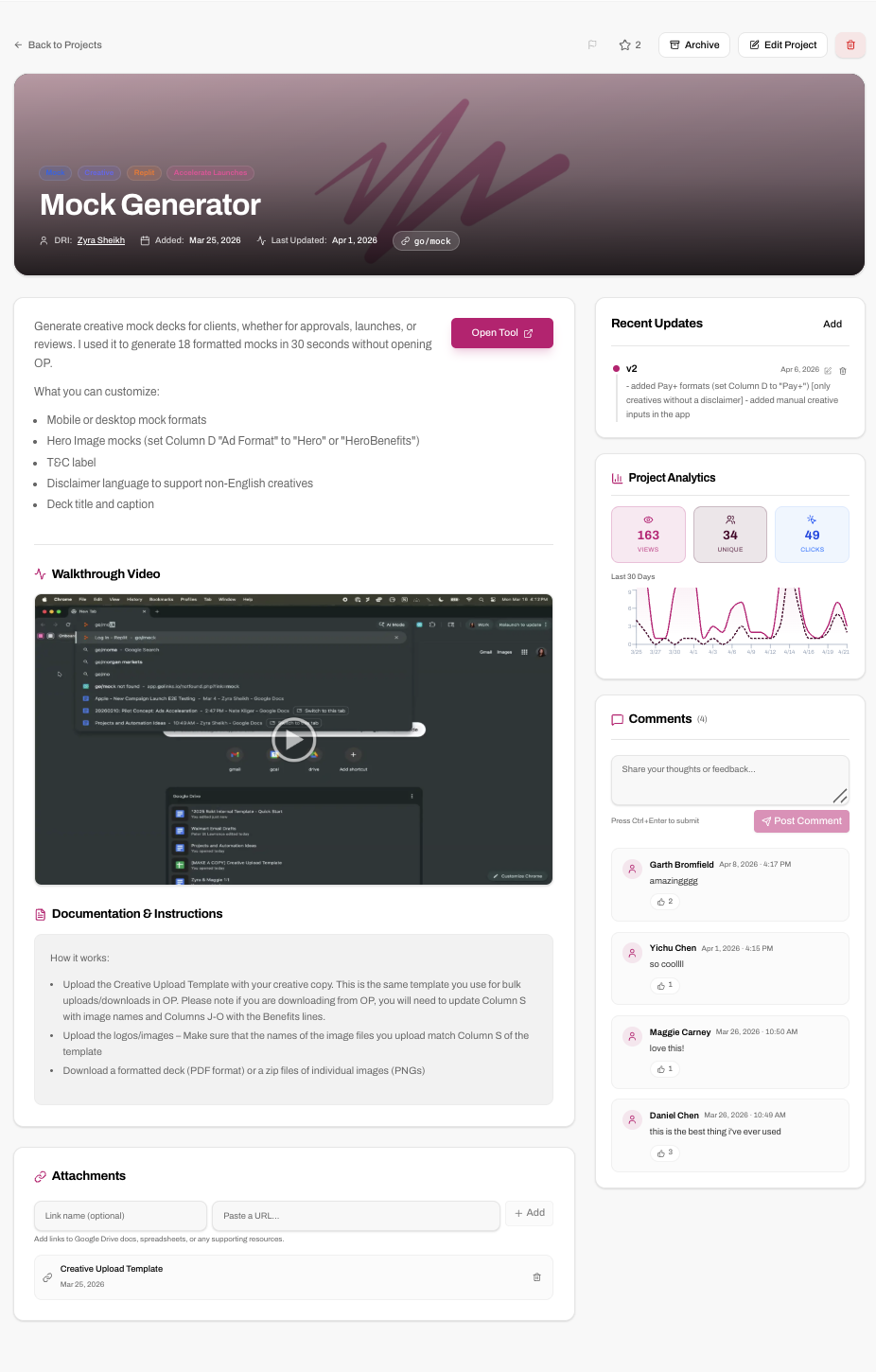
A strong example: the Mock Generator tool, which generates creative mock decks for clients for approvals, launches, or reviews. Previously, account managers manually triggered mocks for every creative and saved screenshots. The tool reduced generation for 18 mocks from 30 minutes to 30 seconds. Each project page in the hub includes documentation, a walkthrough video, usage analytics, version history, and a community comment feed.
This is the model the team wants to extend to the entire Operations function: a single destination where the full team can see and use all the tools in one place, with data on what is working and what needs attention.
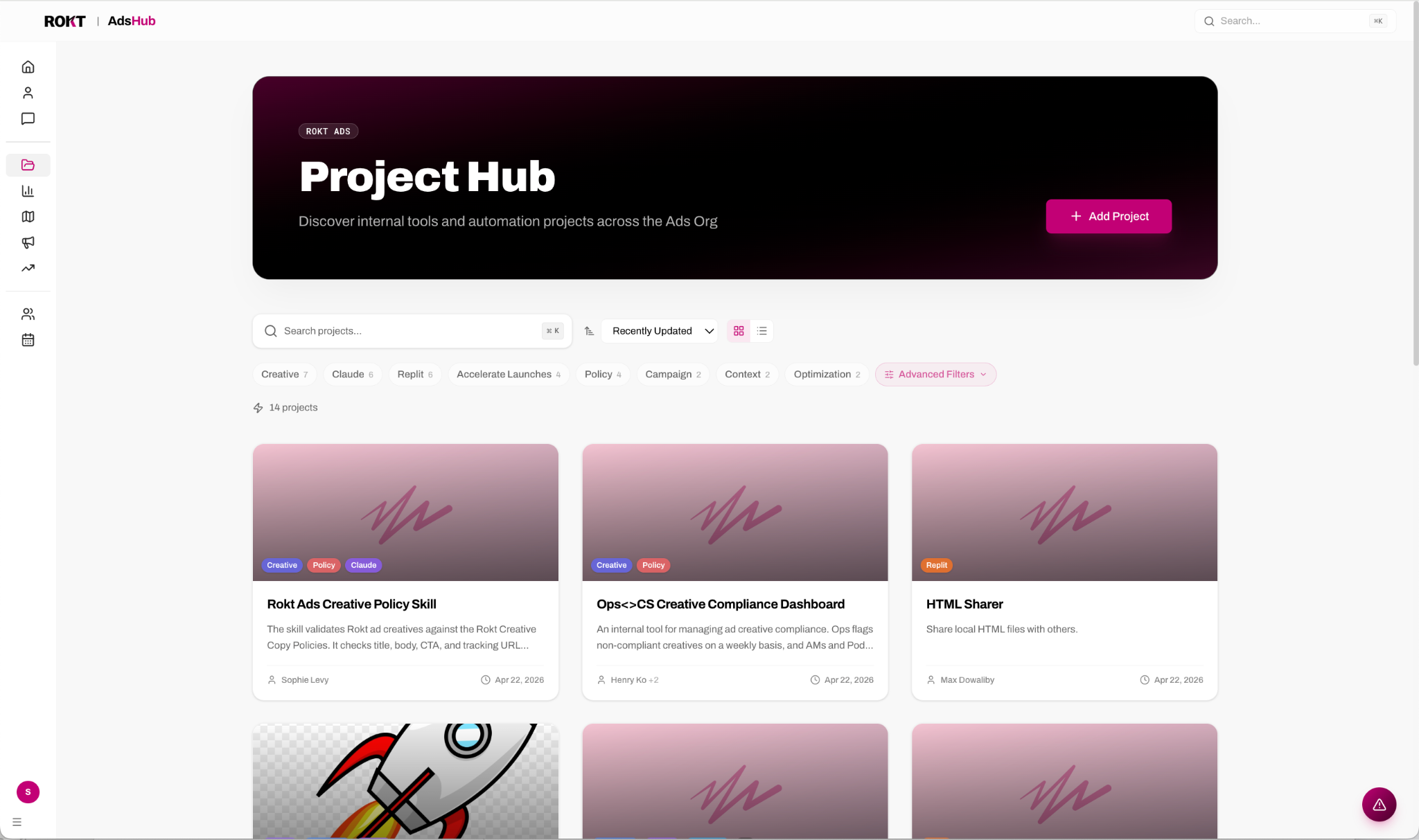
The Project Hub: a searchable directory of 14+ automation projects across the Ads org, filterable by tag (Creative, Claude, Replit, Policy, Campaign). Each card shows the tool description, builder, and last updated date.
A project detail page: the Mock Generator, which reduced creative mock generation from 30 minutes to 30 seconds for 18 mocks. Each project includes documentation, a walkthrough video, usage analytics, version history, and a comment feed.
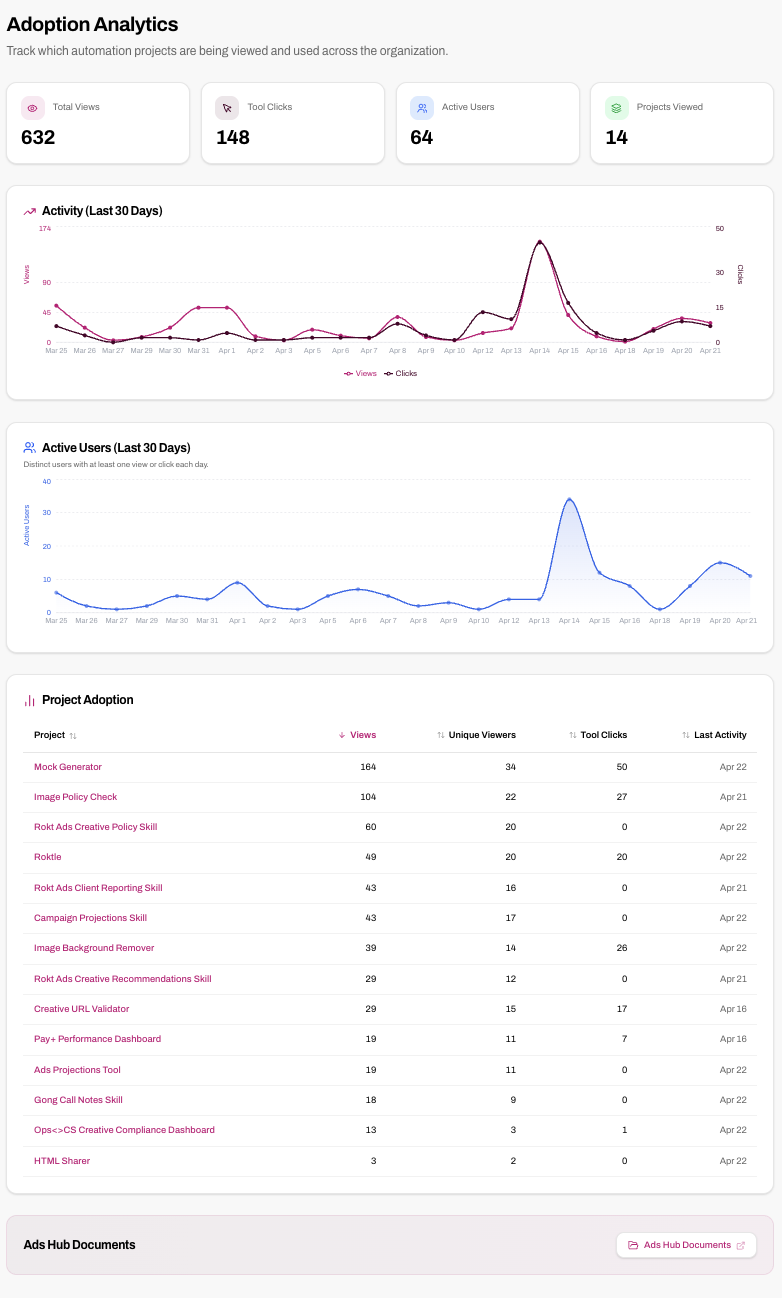
Adoption Analytics: real-time tracking of tool usage across the org with 632 total views, 148 tool clicks, 64 active users, and per-project adoption data showing views, unique viewers, and engagement trends.
The prompt above is a starting point, not a one-shot solution. The actual build required multiple iterations: refining instructions based on output, uploading reference documents for context, mapping the right tooling and integrations, and working through edge cases. Treat this as the brief that kicks off the conversation, not the conversation itself.
The Ads Operations Hub solved the discovery problem by giving the entire Ads organization a single place to find, use, and provide feedback on the tools being built across the team. Usage analytics now inform which tools get continued investment, and the feedback loop ensures the most impactful tools are maintained and improved. The model is being extended to the full Operations function.